Search

Secure USB Device Management

Full control of hardware encrypted USB drives to prevent data leakage

SafeConsole Secure USB Device Management Core Benefits

Take full control of hardware encrypted USB drives for data protection and compliance management. With SafeConsole solutions, you enforce security policies, prevent data leakage, and manage the full lifecycle of all SafeConsoleReady™ devices.

Password Security Management

Remotely reset passwords via recovery code without data loss Adopt multi-channel authentication mechanism to effectively prevent social engineering attacks.

Compliance Audit Management

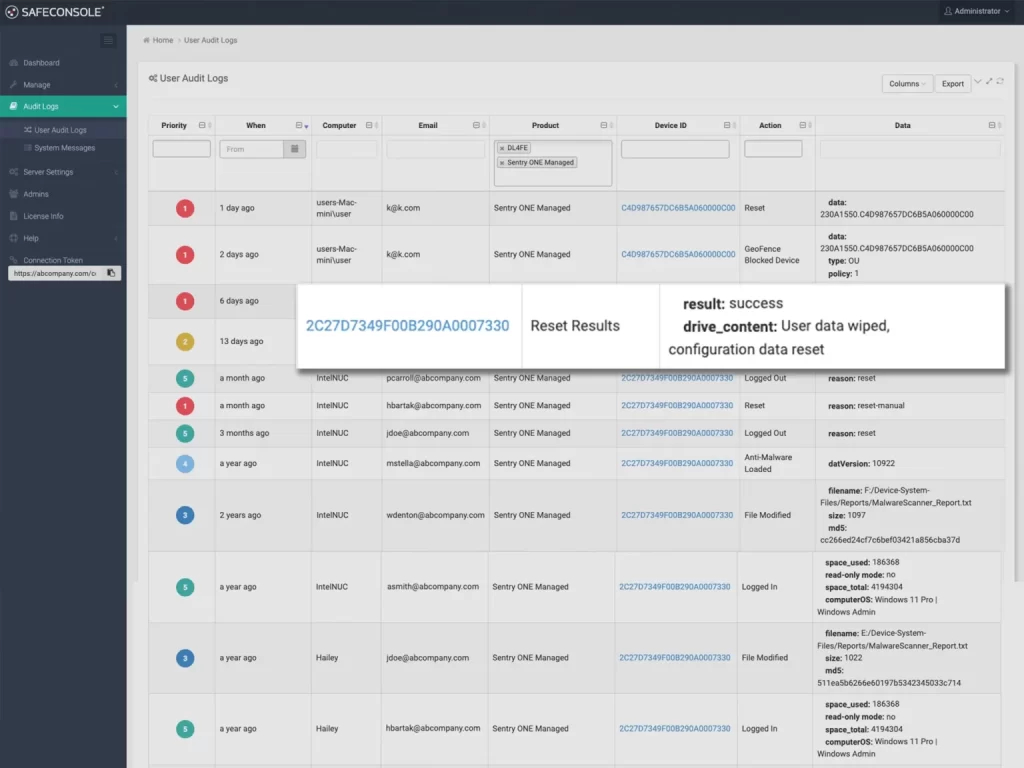
Real-time updating of equipment asset list to meet compliance requirements Complete documentation of file operation logs (copy/delete/rename)

Equipment Status Control

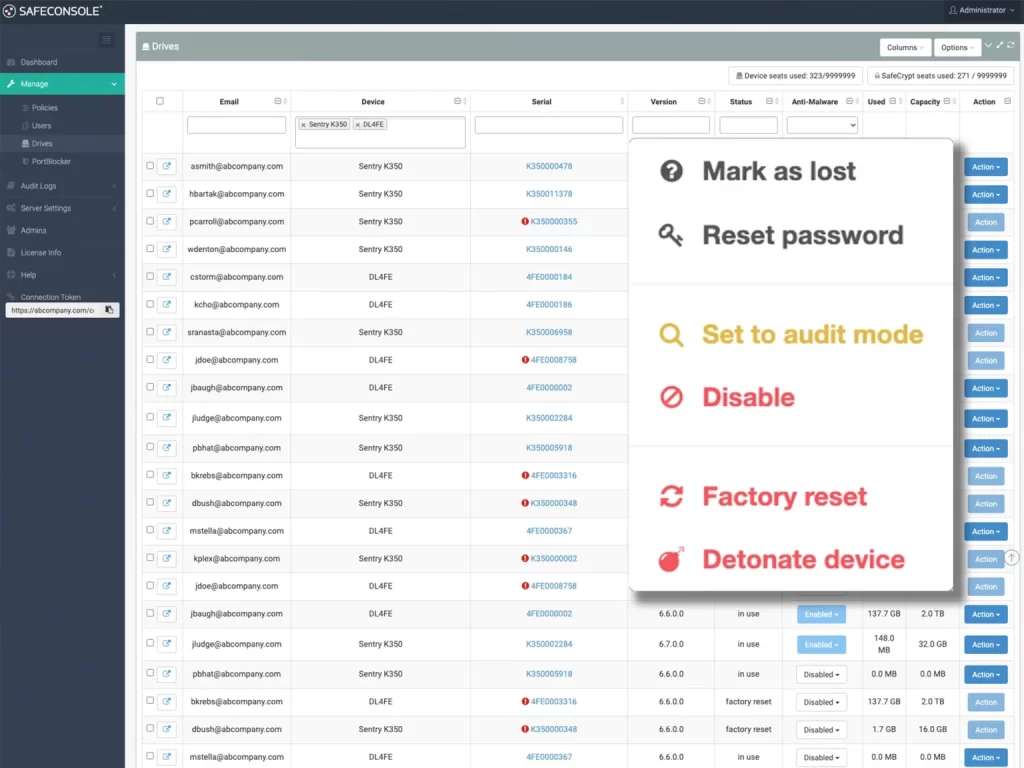
Remote deactivation/destruction of abnormal devices Instant erase of lost devices to protect sensitive data

File Type Restriction & Write Protection

Restrictions on the types of files that can be stored (e.g., ban .exe/.MP3). Read-only mode lock to prevent malicious hosts from stealing data.

Geographic Positioning

Real-time tracking of device geolocation Automatic control of device access based on default security zones

ZoneBuilder (Trusted Zone)

Automatic unlocking without passwords in trusted computer zones Limit device use to authorized geographic areas

Total Encryption Security System

SafeConsole provides powerful security features that enforce encryption policies and protect sensitive data on all USB devices, ensuring compliance and control.

  • USB drive encryption and policy enforcement:Protects USB drives with AES 256-bit encryption, enforces password rules, and enhances security with file type and geolocation restrictions.
  • Secure password management:Securely reset forgotten passwords with hardened authenticated encryption, complete logging to meet compliance requirements, and no need to share master passwords.
  • Strategy Driven Certification:Supports additional authentication factors such as certificates, dual authentication (2FA) or single sign-on (SSO) to strengthen system security while ensuring traceability of operations for administrators and users.

Efficient Deployment and Device Control

SafeConsole simplifies the device setup and remote management process, enabling organizations to deploy and monitor secure USB devices with ease and flexibility.

  • Zero-touch deployment and enrollment:Seamless setup through end-user self-registration or DeviceDeployer batch configuration, ready to use right out of the box.
  • Remote management and control:Remotely enforce settings, enable read-only mode, update software, or remotely erase lost/stolen devices.
  • Real-time monitoring and reporting:Track all USB activity with detailed audit logs and advanced reporting, and integrate with SIEM solutions such as Splunk or Graylog for enhanced visual monitoring capabilities.

Industry Use Cases

Manufacturing

R&D and Design Data Protection
Supply Chain Security Collaboration
Factory Equipment Data Acquisition and Maintenance

Finance & Insurance

Customer Data Field Processing
Audit and Compliance Report Delivery
High Risk Transaction Data Backup

Medical and Life Sciences

Analysis of clinical trial data
Portable Access to Emergency Data
Electronic Medical Record (EMR) Sharing Across Hospitals

Technology and Law

Client Case Data Storage
Proprietary Design, Intellectual Property Document Storage
Storage of sensitive legal documents such as contract documents

Expansion of SafeConsole Safety Module

USB Antivirus Software

Equip USB drives with an embedded antivirus engine that instantly scans for threats and submits reports directly to the SafeConsole platform.

USB PortBlocker

Block unauthorized USB devices from connecting to the corporate network with strong endpoint security.

Cloud Encryption Client (SafeCrypt)

Automatic encryption before uploading files to local or cloud storage, protecting sensitive data throughout the process.

Frequently Asked Questions

Yes, SafeConsole provides geo-tracking and geo-fencing features that allow administrators to pinpoint the location of USB drives and restrict the use of drives outside of a specific zone based on geographic area.

SafeConsole allows administrators to remotely reset the password on encrypted USB drives, an operation that does not lose any data and helps users safely and quickly regain access to their drives.

SafeConsole's File Restriction feature allows administrators to block certain file types from being saved on encrypted USB drives, such as EXE or MP3 files, to prevent the storage of unauthorized content.

Fortress-level data encryption to ensure data security

Contact Hongke to help you solve your problems.

Let's have a chat